
Reclaim Your
Disk Space
Analyze disk usage with an interactive treemap and clean up bloated project folders like node_modules, target, .venv, and more.
brew install davidnussio/tap/ingombroSee It in Action
Explore the features that make disk management effortless.
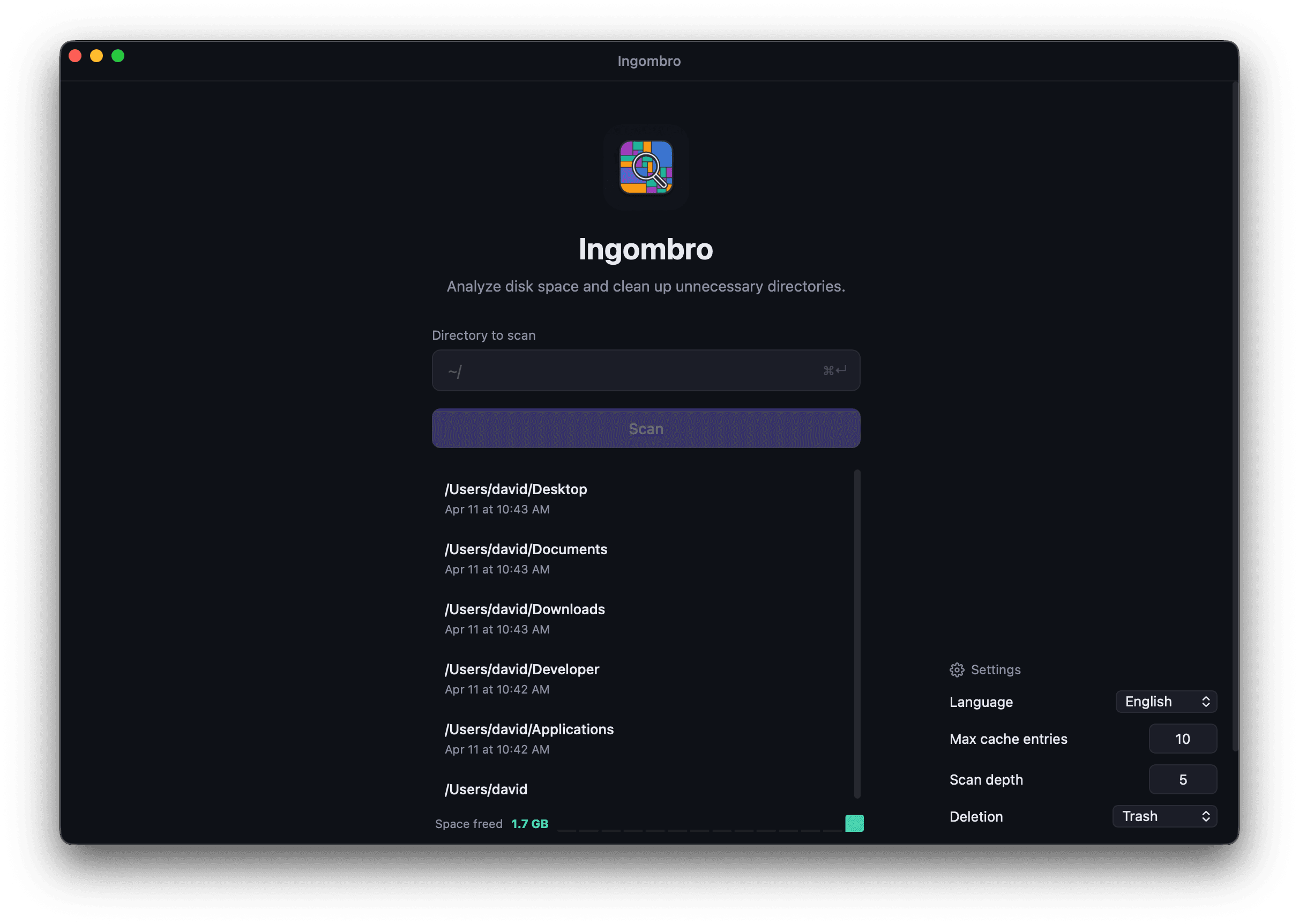
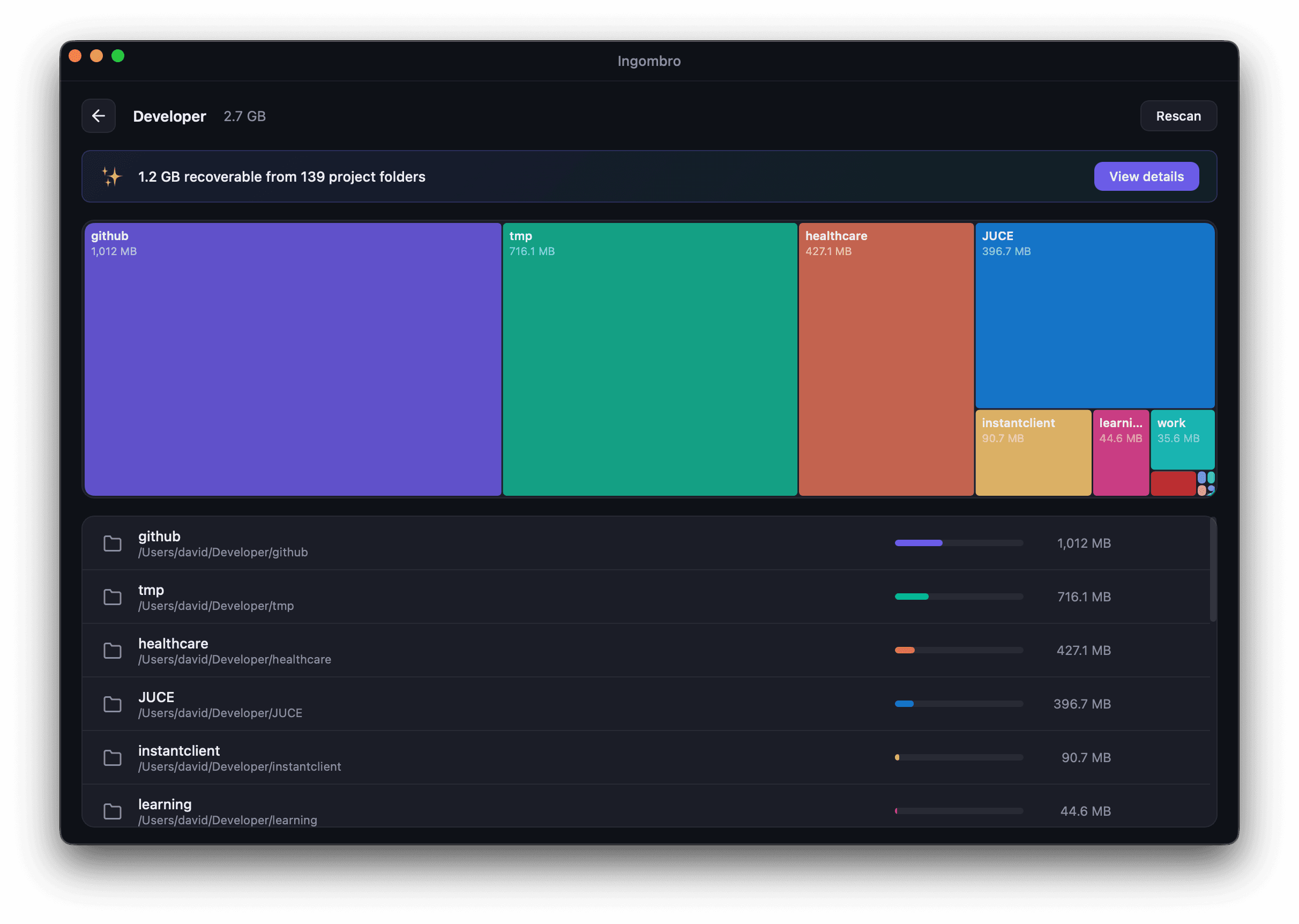
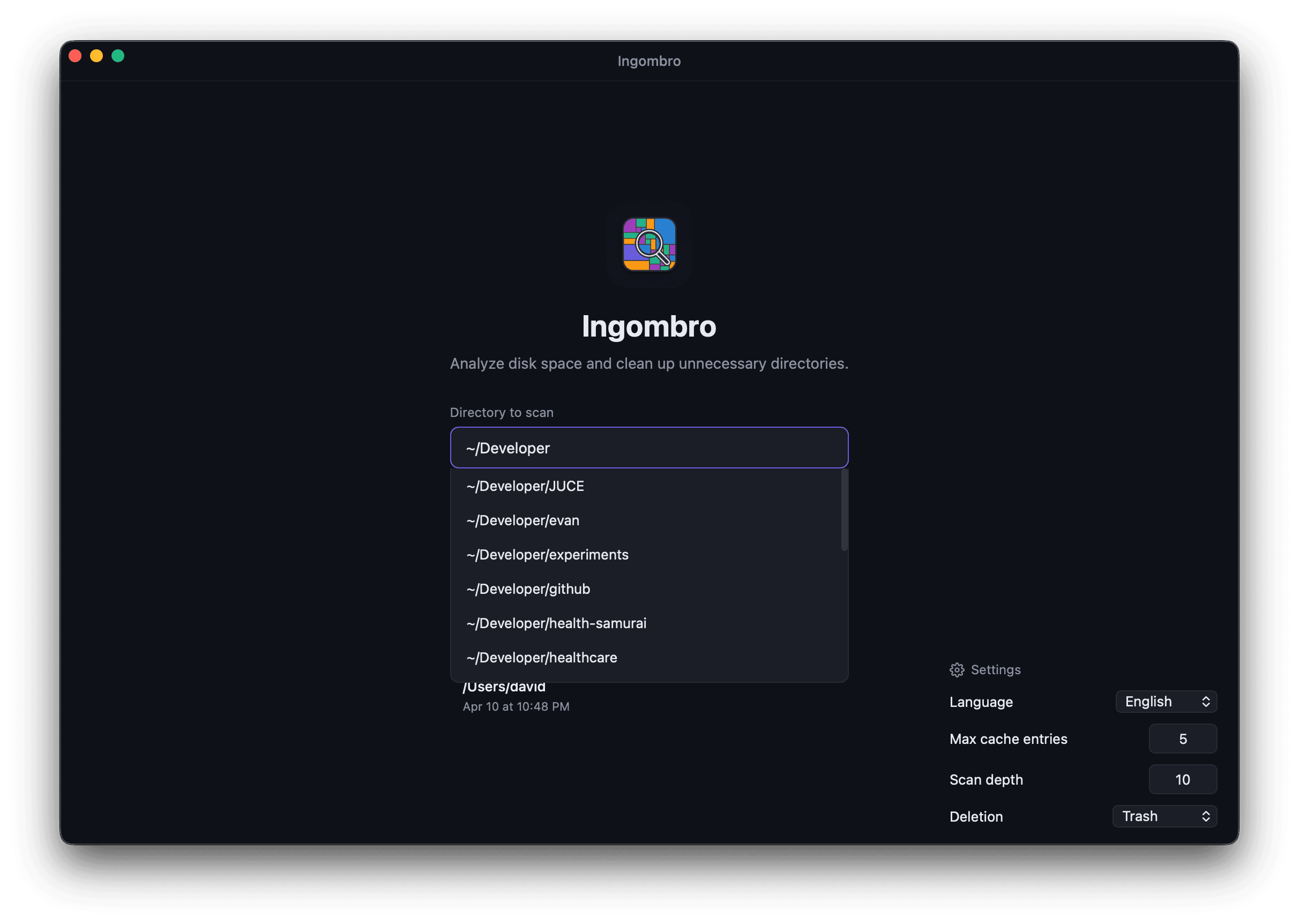
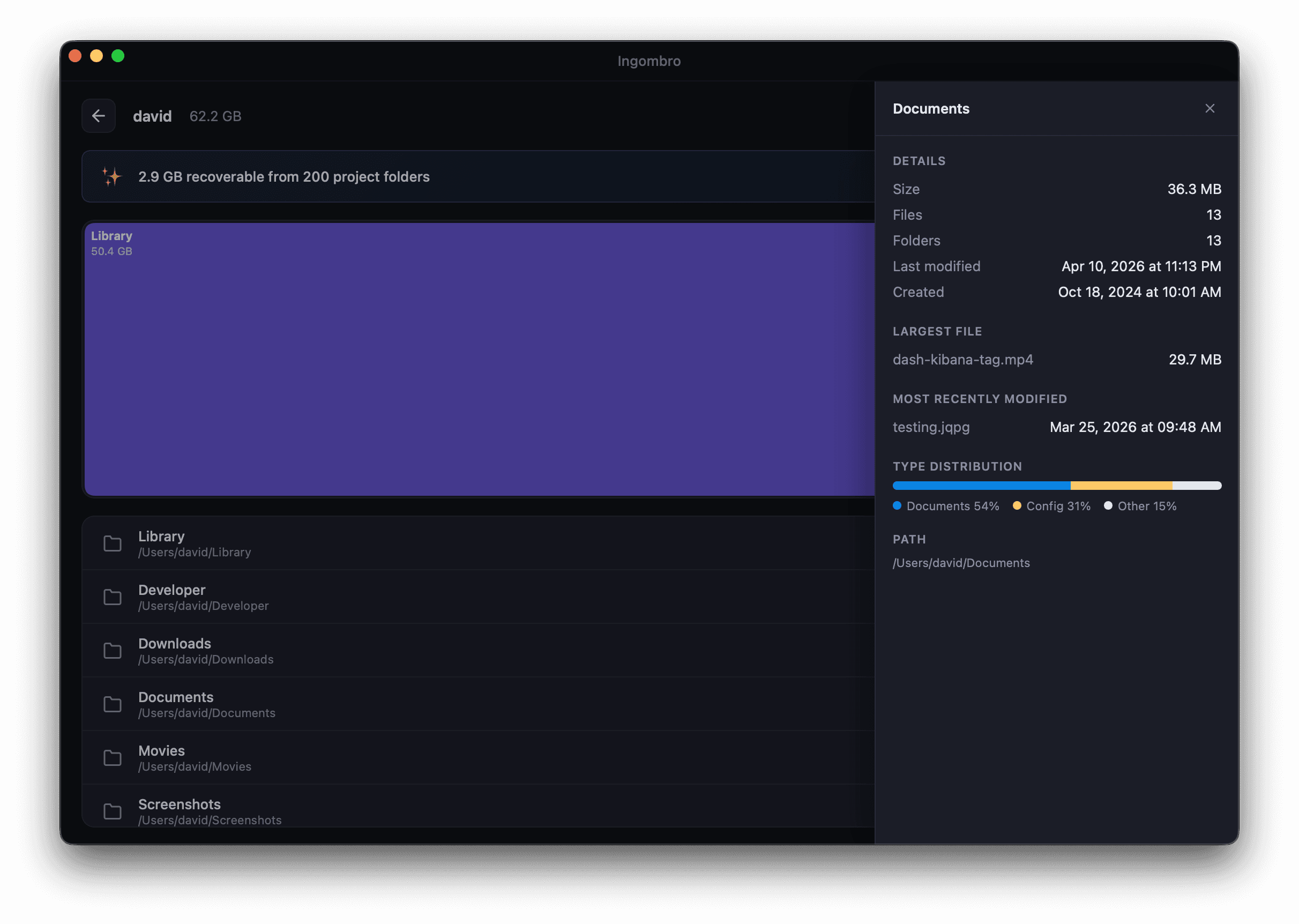
Home Screen
Clean interface to start scanning any directory
Everything you need to clean up
Powerful features designed for developers who want to reclaim disk space efficiently.
Interactive Treemap
Proportional visualization of disk usage. Click any folder to drill down with smooth transition animations.
Path Autocomplete
Start typing a path and get instant directory suggestions. Supports ~ expansion and nested paths.
File Preview
Side panel with detailed info: size, dates, largest file, file type distribution chart, and text/image previews.
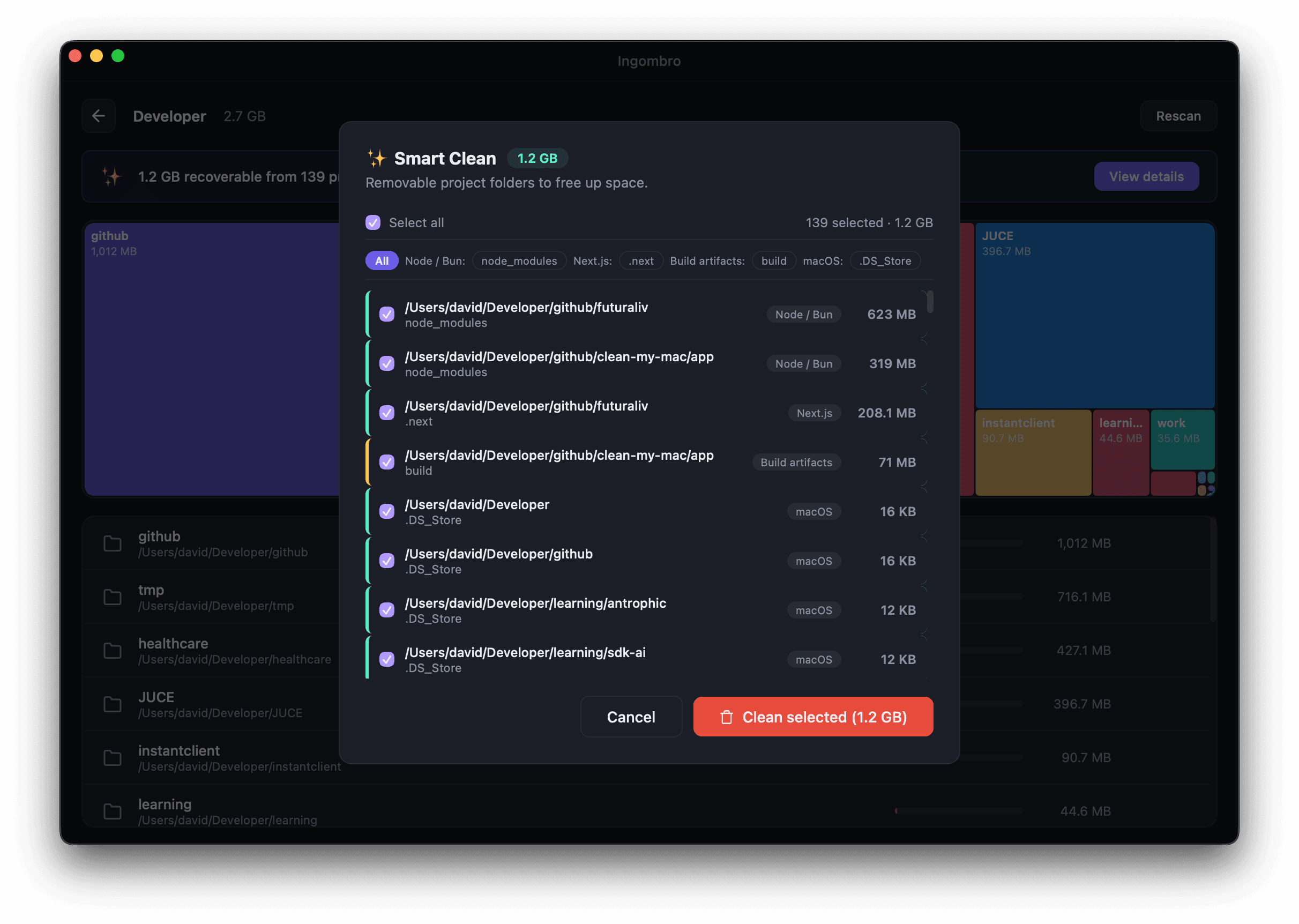
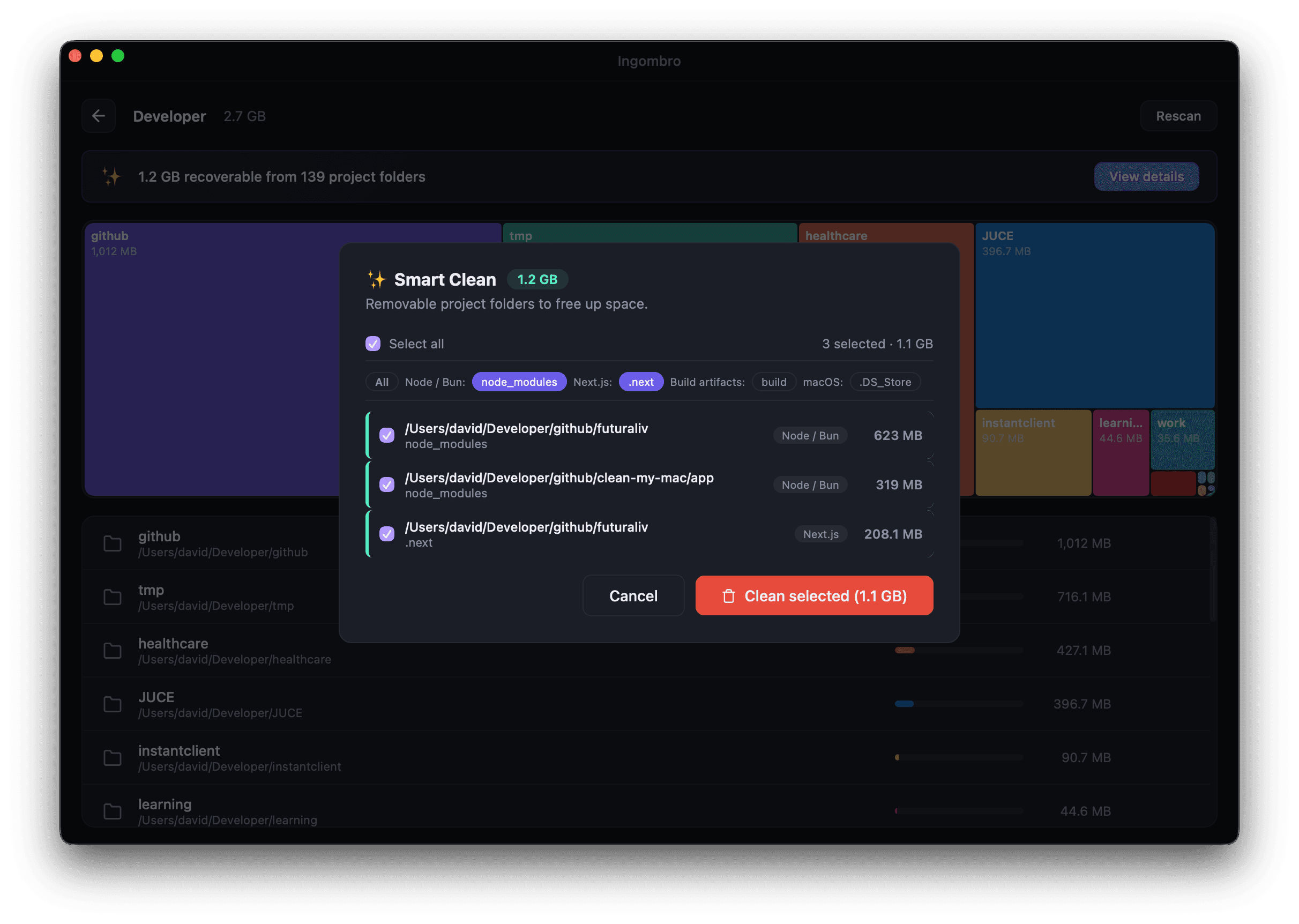
Smart Clean
Automatic detection of removable folders across your projects. Filter by type and clean with a single click.
Cached Results
Scan results are cached for instant loading. Reopening a directory from cache loads without re-scanning.
7 Languages
Italiano, English, Espanol, Francais, Deutsch, Portugues, and Japanese. Auto-detection with manual override.
Detect and remove automatically
Smart Clean automatically detects removable folders across your projects. Filter by project type, select items individually or in batch, and clean with a single click.
Node / Bun
node_modules.parcel-cache.turboFrameworks
.next.nuxt.svelte-kit.astro.angularPython
__pycache__.venvvenv.pytest_cache.mypy_cacheRust / Java
target.gradleElixir
_builddeps.elixir_lsiOS / Flutter
Pods.dart_tool.pub-cacheBuild Artifacts
builddist.cacheInfrastructure
.terraform.cdk.out.serverlessPlus AI/ML folders, design assets, video caches, music production files, and system junk files.
Get Started
Install Ingombro and start reclaiming your disk space today.
Homebrew
Recommended
brew install davidnussio/tap/ingombroIf macOS blocks the app, reinstall with: HOMEBREW_CASK_OPTS="--no-quarantine" brew reinstall --cask davidnussio/tap/ingombro
Manual Download
Direct from GitHub
Drag the app into Applications folder after downloading.
macOS Security Notice: Ingombro is not signed with an Apple Developer certificate. If macOS shows a security warning, run: xattr -d com.apple.quarantine /Applications/Ingombro.app